Scan the whole account
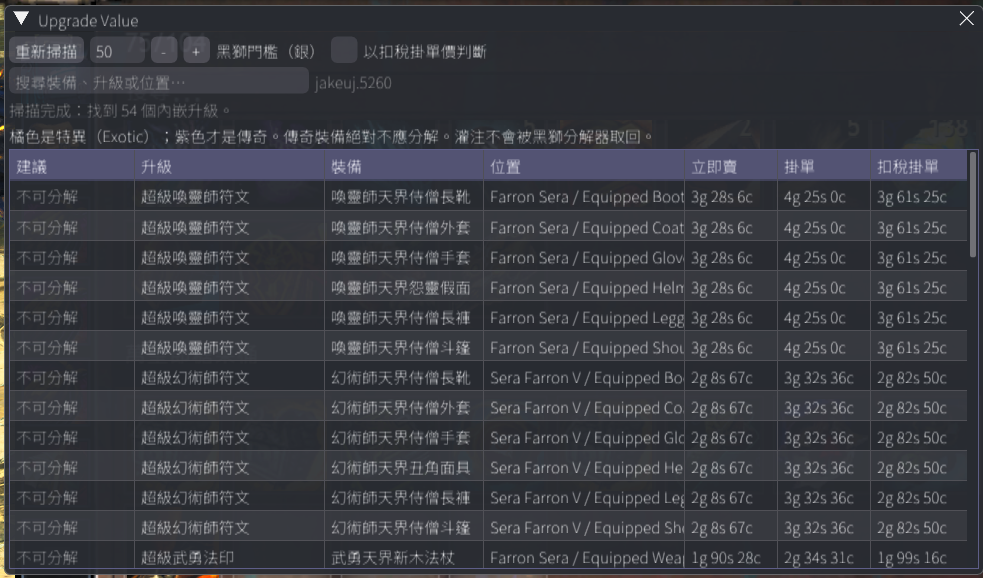
Cover the account bank, shared inventory, every character's bags, and currently equipped items. Location groups characters and storage areas while keeping the active decision value highest first inside each group.
Guild Wars 2 · Nexus Addon
Scan Exotic equipment across your account, find embedded runes and sigils, and compare live Trading Post prices. Save Black Lion Salvage Kits for valuable upgrades instead of spending them on low-value ones.
Windows x64 · Community addon · Free and open source · No gameplay automation
Scan · Value · Decide
Official APIs provide account items and Trading Post prices. The addon only organizes the data and makes recommendations; it does not read unstable game memory. English is the safe default, and Traditional Chinese is available only when the current Nexus font actually includes CJK glyphs.
Cover the account bank, shared inventory, every character's bags, and currently equipped items. Location groups characters and storage areas while keeping the active decision value highest first inside each group.
See Instant sell, the lowest Listing, and Net listing after the 15% Trading Post fee side by side.
Clearly mark unsalvageable items, upgrades without Trading Post prices, and infusions. Legendary equipment receives a Never salvage safety warning.
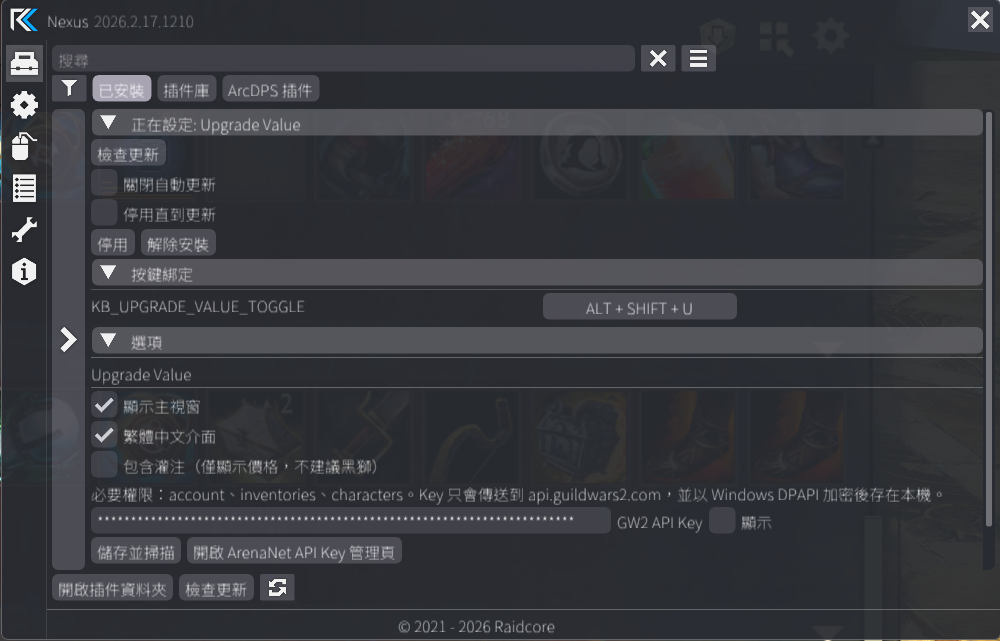
The API key is encrypted with Windows DPAPI, and requests are sent only to ArenaNet's official API.
Decision Pipeline
Set your own threshold and choose whether recommendations use Instant sell or Net listing. The addon provides information and guidance; the final salvage decision remains yours.
Nexus Addon Library
Upgrade Value v1.0.3 completed Raidcore's initial review and is publicly listed in the Nexus Addon Library as Listing ID 128. Players can search for and install it directly from the in-game library. Public listing does not mean ArenaNet approval, and the addon is not made or distributed by Raidcore.
Stable v1.0.5 is available for manual installation; new installs should use the in-game Addon Library · Listing ID 128.
In-game integration uses the public Nexus API. Account and price data come only from the official Guild Wars 2 v2 API.
No game-memory access, hooks, signature scanning, packet interception, input simulation, or gameplay automation.
No telemetry and no developer backend. The API key is encrypted with Windows DPAPI, and network destinations and storage behavior are fully documented.
Codex assisted with project documentation and development review. The developer reviews all output and remains responsible for testing, maintenance, and compliance.
Public listing means Raidcore completed its initial review. It does not mean ArenaNet approval, and the addon is not made or distributed by Raidcore. ArenaNet states that it does not review, approve, or endorse individual third-party programs; players use them at their own risk. Read ArenaNet's third-party program policy
English Default · Traditional Chinese Ready
First Install · Four Steps
Install Raidcore Nexus and confirm that you can open its settings in game.
Launch Guild Wars 2 and open the Addon Library in Nexus.
Find Upgrade Value, then install and load it from the in-game library.
Paste the key into the addon settings and select Save and scan to load current prices.
Manual fallback: You can also download the DLL from the latest Release and place it in the Guild Wars 2 addons root directory (not addons\Nexus), for example F:\SteamLibrary\steamapps\common\Guild Wars 2\addons\UpgradeValue.dll.
jakeuj · GW2 Tool Suite
Blish HUD, Nexus, and ArcDPS solve different problems, but every project is built to be understandable, verifiable, and safely updateable for the Traditional Chinese community.
01 · CURRENT
Scan runes and sigils embedded in Exotic equipment, retrieve live Trading Post prices, and decide whether a Black Lion Salvage Kit is worth using.
Back to this page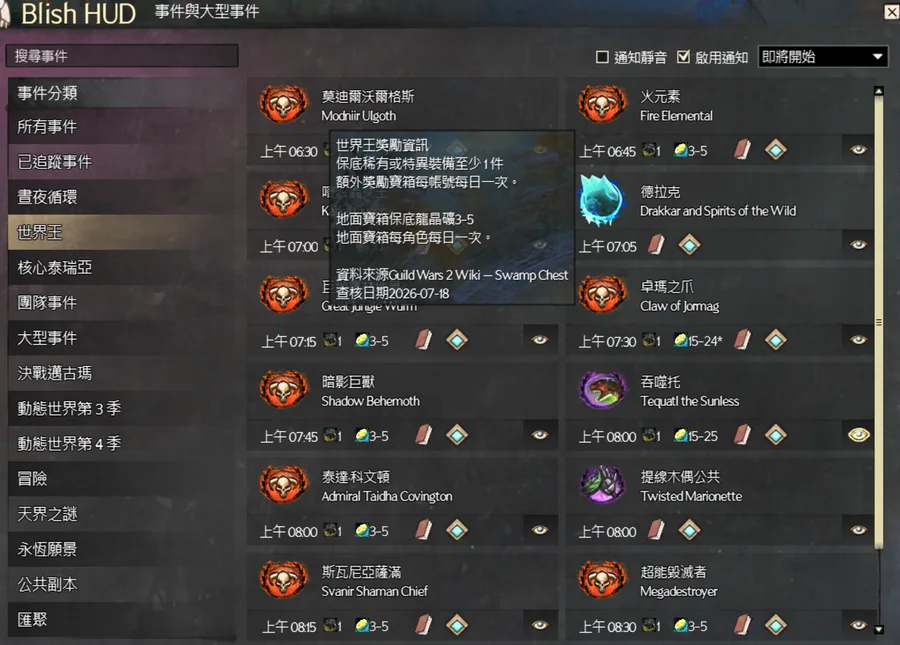
02 · EVENTS
Official event schedules, bilingual names, world boss rewards, notifications, and safe updates.
Visit the Events Traditional Chinese site03 · TAIWAN ZH
Bring Taiwan Traditional Chinese to the addon interface with saved settings and automated releases.
Visit the Traditional Chinese UI siteStable Release
New installs should use the in-game Nexus Addon Library. If you still use v1.0.2 or older, install this version manually once so Nexus can discover future updates.